Register
See the sale as your cashier sees it

Atlantis Ship Store
Run retail, guest passes, native barcode scans, POS80 receipts, cash drawer closeout, Atlantis QR Pay, Boater Account Pay, card, and tap-to-pay inside Atlantis.
Card required. Trial starts when your workspace is ready. Counter hardware is purchased separately. View plans and fees.
See the register and receiptsActual Ship Store Screens
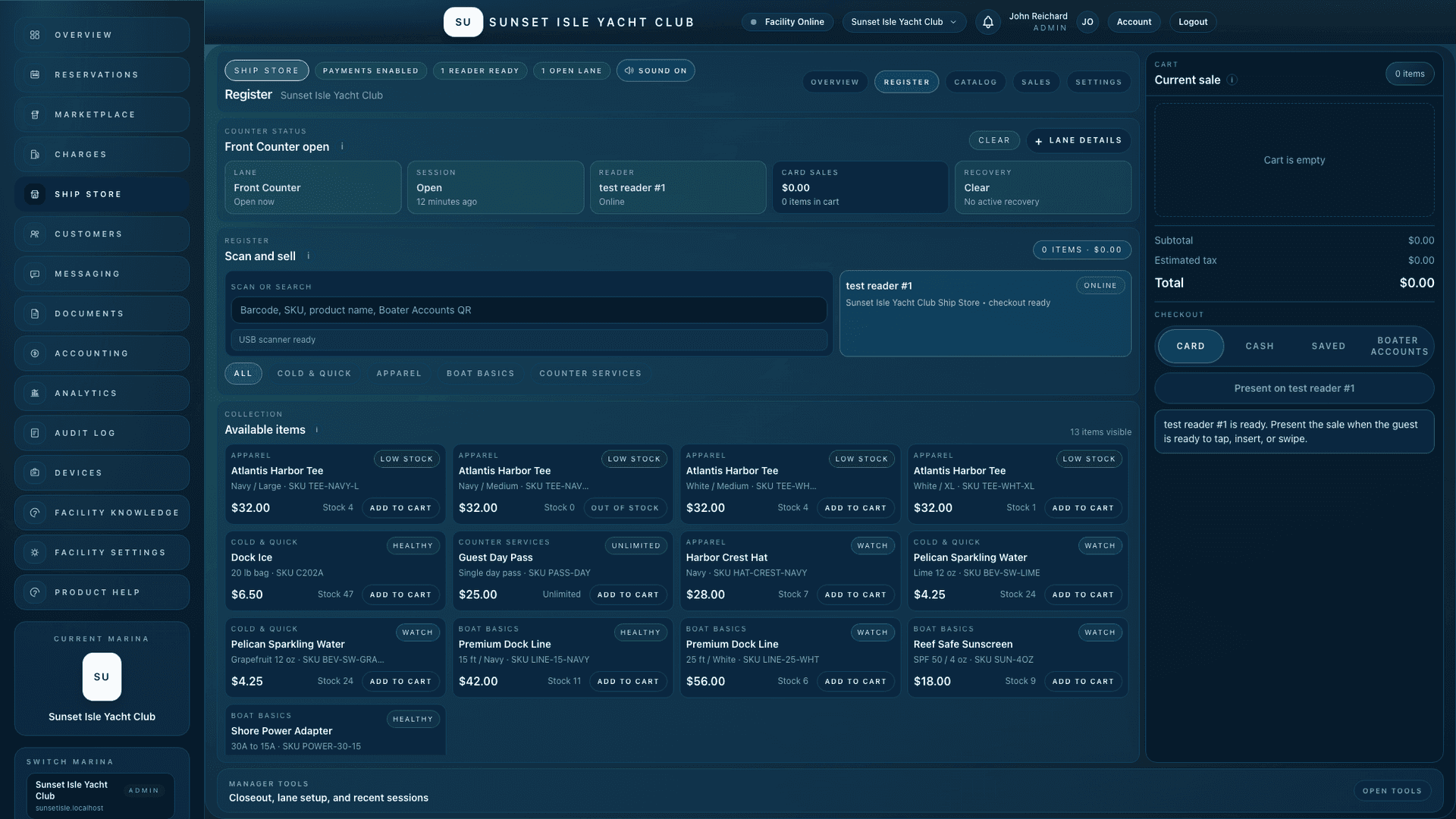
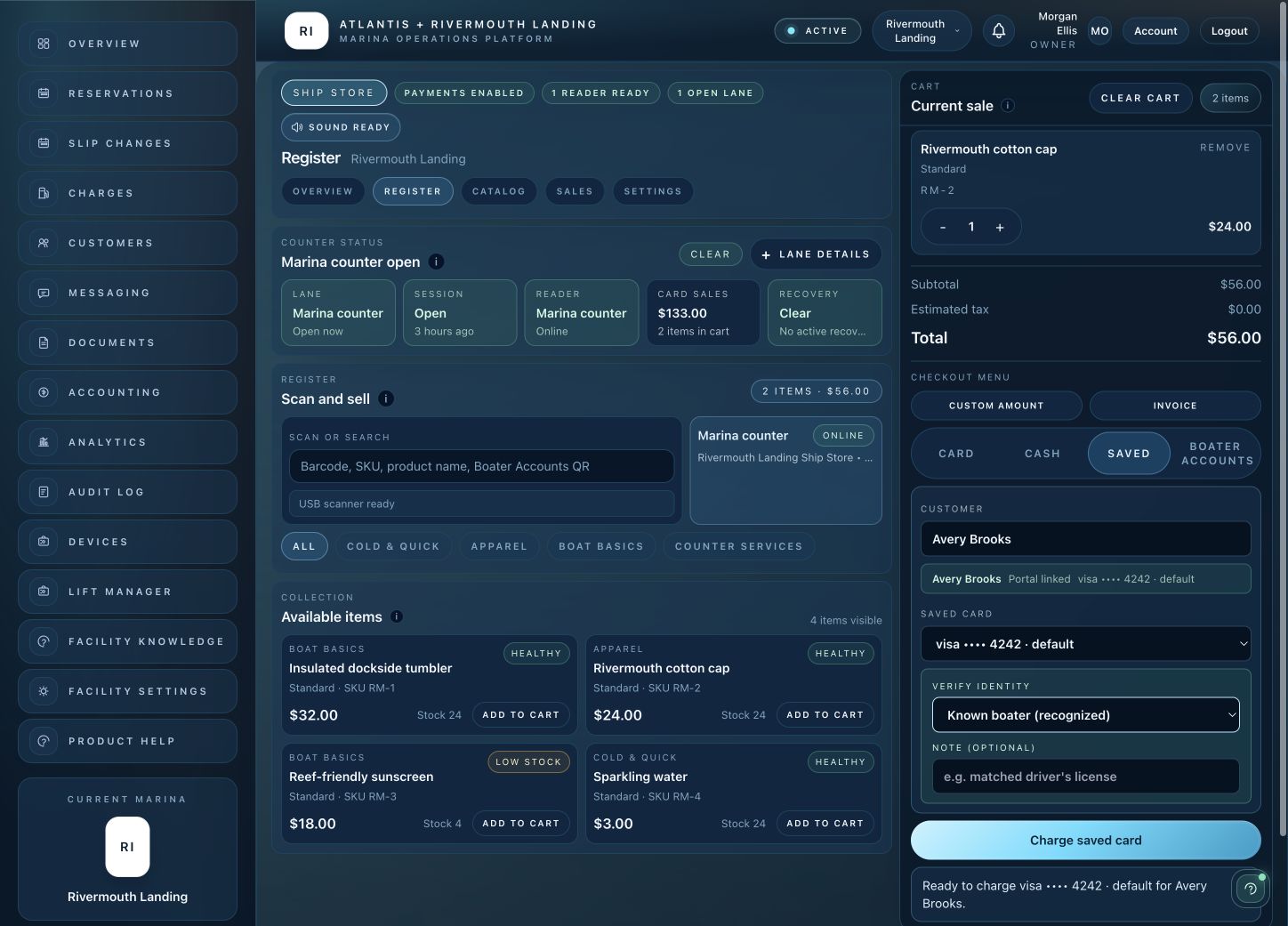
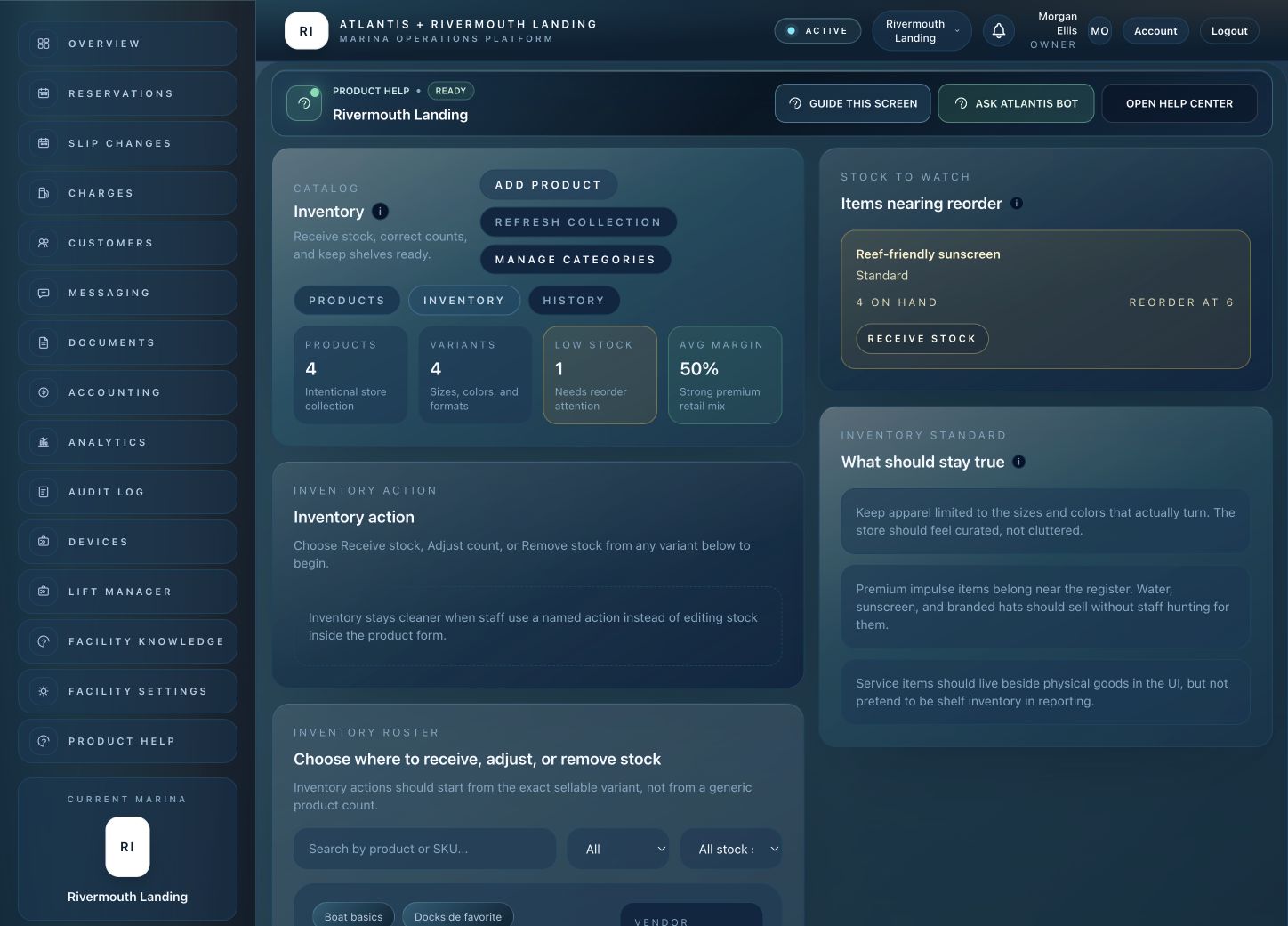
Scan or search for a product, build the cart, choose a payment method and keep the sale connected to your marina. These are actual product screens with illustrative data.
Register
Saved-customer checkout
Catalog
Closeout

Start with a private marina workspace. Card required. Hardware is purchased separately. View plans and fees.
Start your 14-day trialCustomer receipts
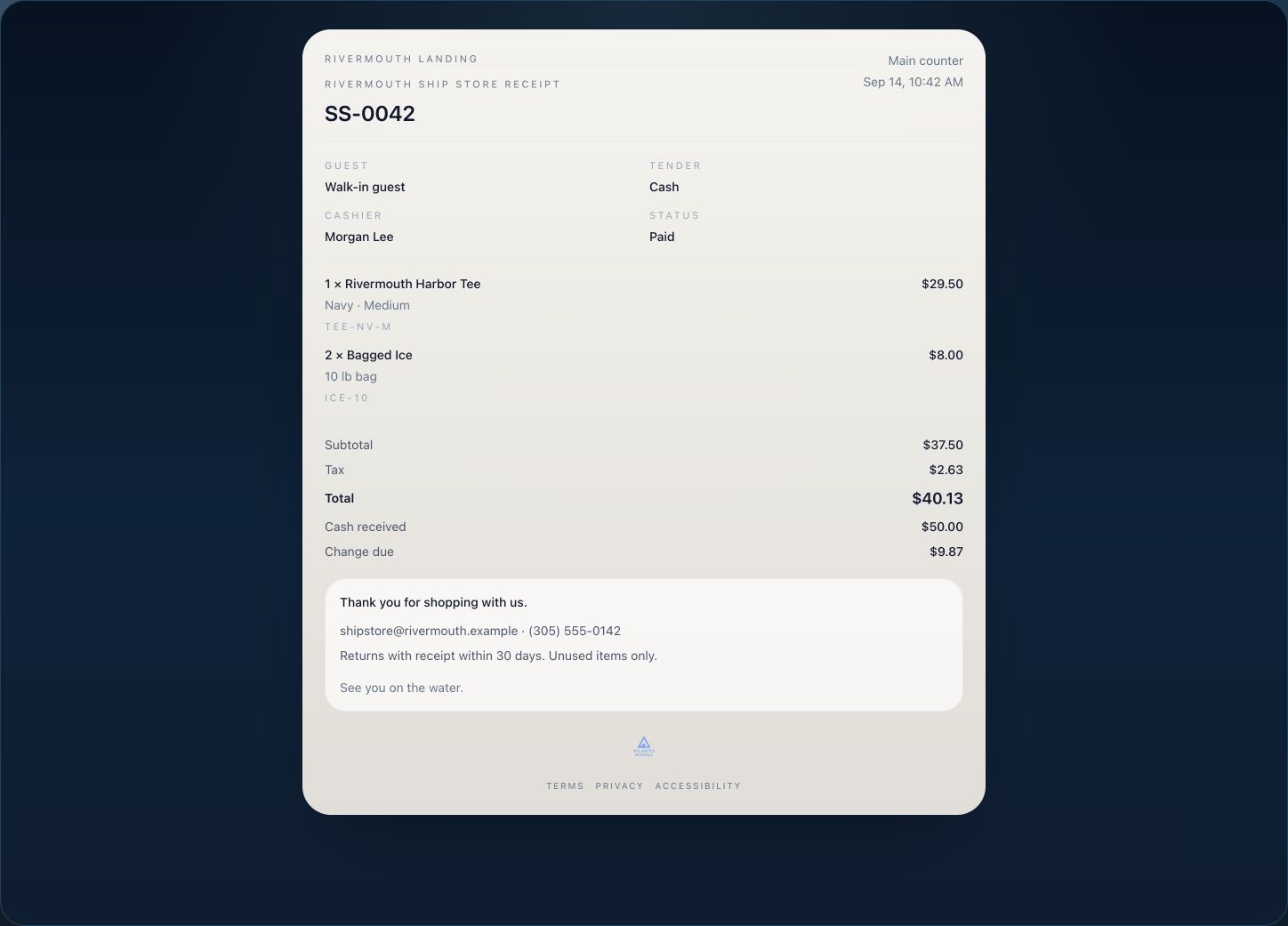
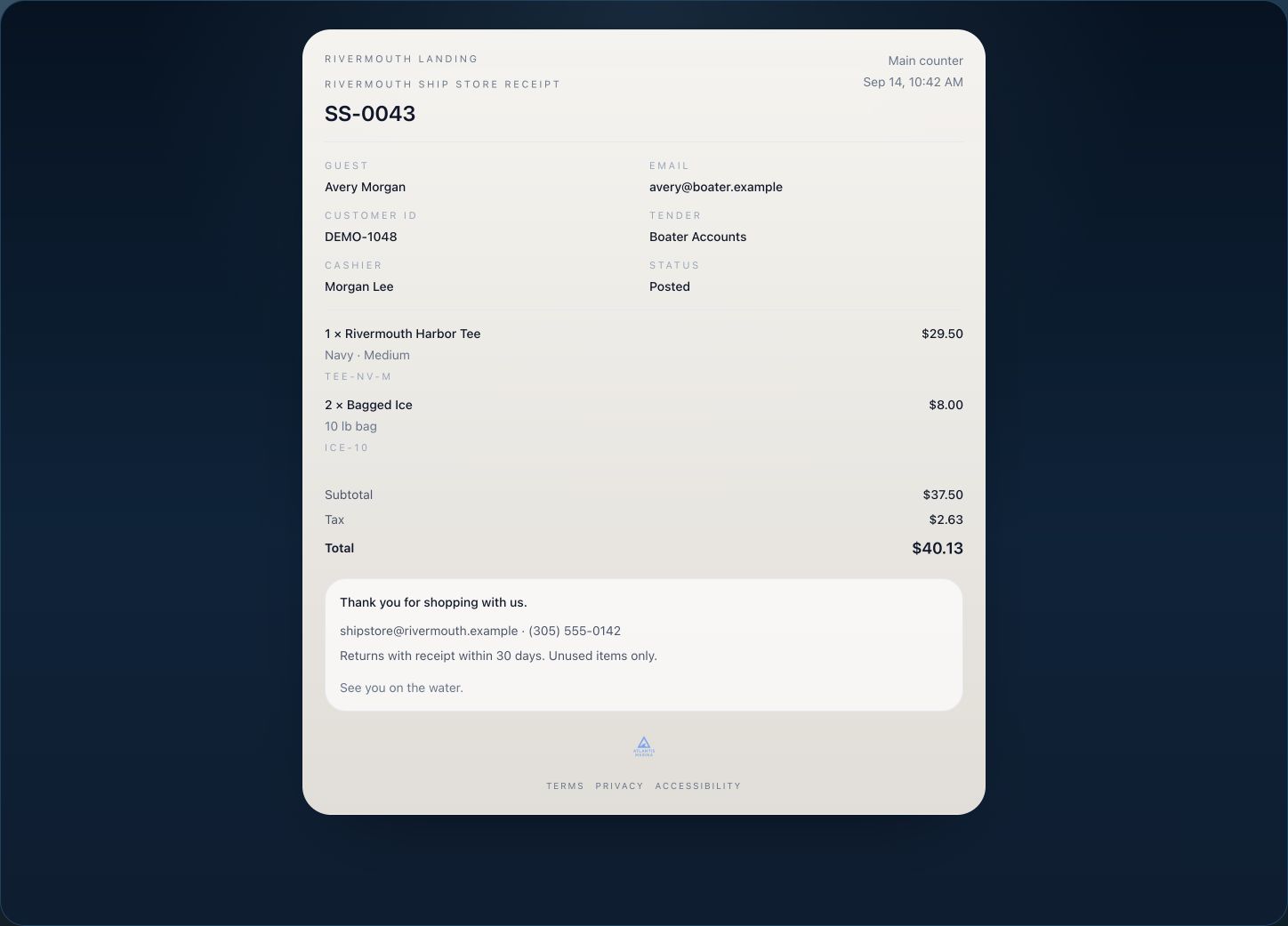
Show the items, tax, total and payment status. Print a counter copy or email the receipt, and keep the sale in your marina’s records.
An itemized receipt with your store details and the payment recorded.
Clearly marked as posted to a boater account, with customer and purchase details kept together.
Payments And Counter Hardware
Atlantis keeps the counter simple: sell the item, choose the tender, print or email the receipt, and close the drawer with the sale history already in place.
Scan SKUs and barcodes directly into the register so dock ice, apparel, supplies, and counter services move quickly without manual lookup.
Print counter receipts from the register while keeping email receipts and sales history attached to the same sale.
Open the lane with a float, take cash, track drawer totals, record closeout counts, and surface variance before the shift ends.
Give boaters a clean QR payment path when the counter needs a fast self-pay option tied to the right invoice or sale.
Scan the boater account, charge a saved method, or post the counter purchase to the account so billing has the full trail.
Send the sale to the assigned reader for chip, swipe, contactless card, and wallet payments through the same register lane.
Operating Flow
The register, native barcode reader, customer, payment reader, printer, cash drawer, stock count, receipt, and sales history move together so staff do not rebuild a counter sale in another system.
01
Lane
Cashiers start from a focused counter view with lane status, reader health, quick picks, native barcode scans, product search, and the current cart visible at once.
02
Customer
Staff can scan a boater account QR, search a customer, charge a saved card, or post the sale through Boater Account Pay.
03
Payment
Atlantis supports card-present checkout, tap-to-pay, Atlantis QR Pay, saved card, cash, and account tender without forcing staff into another screen.
04
Hardware
POS80 receipt printer support, cash drawer accountability, refunds, cash variance, inventory movement, and emailed receipts stay tied to the register session.
Ship Store Controls
The workflow starts with the realities of a marina counter: seasonal products, quick services, customer accounts, QR payments, busy readers, receipt printers, and cash drawer accountability.
Ring dock ice, apparel, guest passes, boat basics, custom counter services, native barcode scans, card, tap-to-pay, Atlantis QR Pay, cash, saved cards, and Boater Accounts.
Keep barcode readers, the POS80 receipt printer, cash drawer, assigned reader, and lane status visible in the same counter workflow staff already use.
Manage products, variants, SKUs, barcodes, categories, reorder points, receiving, count corrections, damage, shrinkage, spoilage, and display use.
Brand printed and emailed receipts, resend copies, review tender history, inspect invoices, and keep refund or void reasons on the sale.
Open lanes, assign readers, recover active checkouts, close registers, record cash counts, and review recent sessions from the same counter view.
Use a QR scan pass, Boater Account Pay, saved card, or invoice-backed account sale so marina billing and counter revenue stay connected.
Connected Marina Workflows
Ship Store sales, Atlantis QR Pay, Boater Account Pay, invoices, deposits, adjustments, refunds, and QuickBooks-ready accounting stay in the same revenue operation.
Explore Marina BillingBoater-account charges, receipts, messages, documents, invoices, reservations, and vessels can stay with the customer relationship.
Explore Boater Account PlatformCounter services such as guest passes, arrival supplies, and add-on charges can support the same stay context staff already manage.
Explore Guided ReservationsPaid status, account standing, and counter activity can inform the same operational view staff use for marina access readiness.
Explore Smart Lift AccessNext step
We will map your counter workflows, barcode reader setup, POS80 printer, cash drawer, Atlantis QR Pay, Boater Account Pay, product catalog, receipt language, and accounting handoff into an Atlantis Ship Store rollout plan.
The Atlantis advantage
The next opportunity is already on your dock. Connect reservations and billing with approved services, boater relationships and the tools to run your waterfront.
Turn approved local services into a marina amenity. Keep boater requests, quotes, job updates and payments connected.
Bring inquiries from your website into staff review, with vessel details and a clear path to a reservation.
See the bigger picture across your marina group: occupancy, cash, receivables and reporting coverage.
Free onboarding on every plan. Set up privately yourself or let Atlantis help, then go live when ready. Public marina plans from $150/month. Card required; no plan charge at signup.
Private club? Plans from $300/month*. Request your club quote
*Private club pricing is subject to a custom quote.
Trial begins when your workspace is ready. Cancel before it ends to avoid the plan charge. Module pricing, facility enablement, transaction fees and hardware requirements vary. All pricing is subject to change. See plans and fees.