
Aerial view of organized marina slips and docked boats

Atlantis Bot

Atlantis Bot turns Atlantis Marina into a guided operating platform.

Built into the staff dashboard, Atlantis Bot helps every dockmaster, reservation specialist, manager, and accountant learn workflows, open the right workspace, draft communications, and solve daily questions while staff stay in control.

-Faster staff adoption
-Fewer support escalations
-Safer daily operations

Product Help

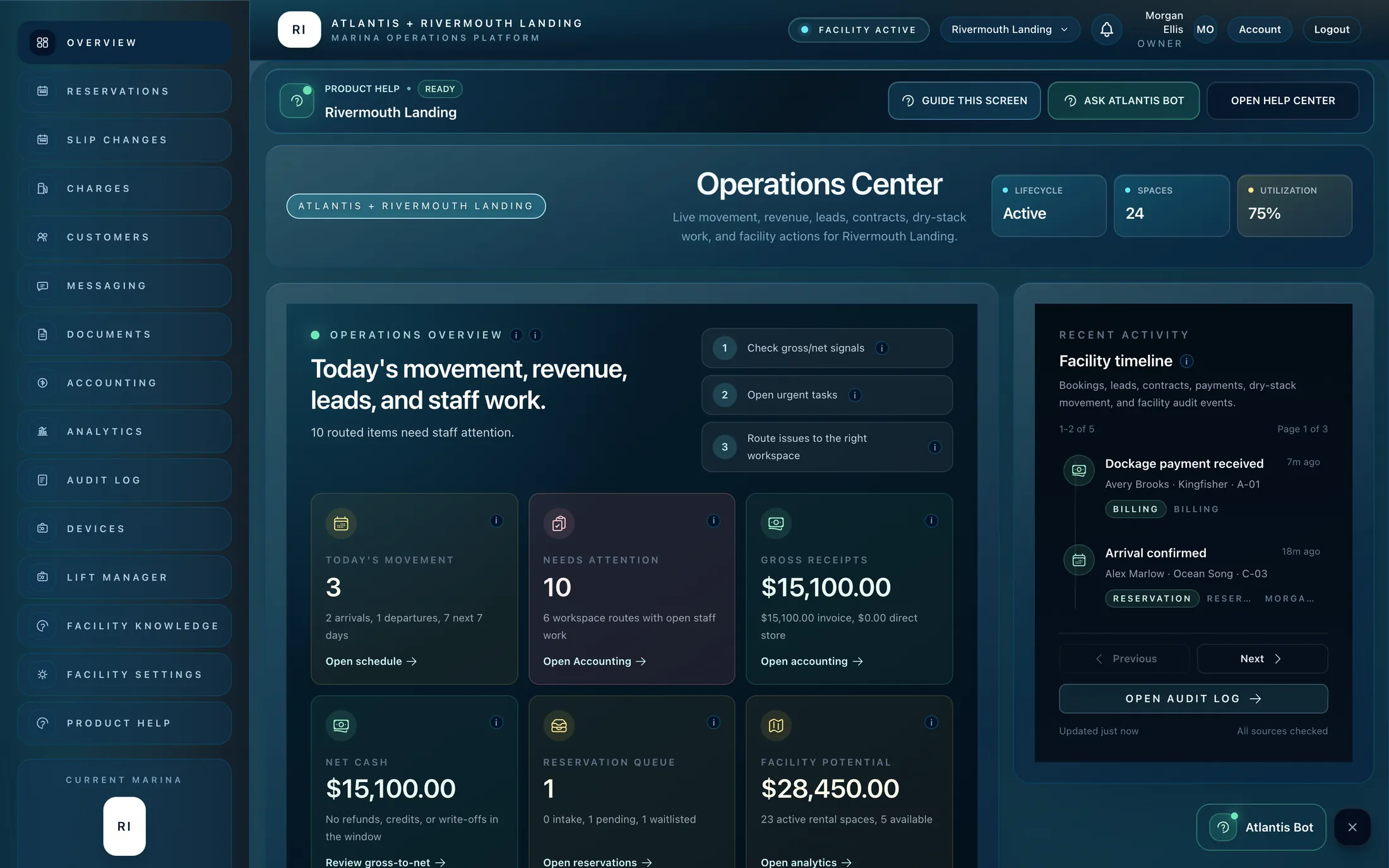
Atlantis Marina dashboard

Guide This ScreenAsk Atlantis Bot

Example prompts

Show me the reservation in B15
How do I upload insurance?
Take me to SMS Delivery
What does my role allow here?
Draft a text to this boater about missing insurance

Atlantis Bot

Staff platform guidance

Show me the reservation in B15

Product Help plus Atlantis Bot on the same screen

Prompt: What can I do here?

Context: Reservation Log - visible targets found

Route button: Open Reservations

Open workspaceHighlight area

Safe by design

Guides and drafts. Staff review actions.

Platform value

Atlantis Bot makes Atlantis Marina easier to adopt, train, and operate.

The business case is faster staff adoption, fewer repeated support questions, safer daily workflows, and a clearer path through the Atlantis Marina operating system.

Adoption

Make Atlantis Marina easier to roll out.

Staff learn the platform from the screen they are using, so training does not depend on memorized docs, repeated manager walkthroughs, or support back-and-forth.

Operations

Move questions into the right workspace.

Atlantis Bot turns daily prompts into safe route buttons, highlight buttons, and reviewable next steps across reservations, documents, messaging, accounting, and Facility Knowledge.

Control

Add AI help without surrendering control.

The assistant guides, drafts, and opens workspaces. Staff still review customer details, messages, documents, billing, and any future saved action.

Improvement

See where your team needs better guidance.

Atlantis Central analytics reveal common questions, weak help coverage, and training opportunities so owners and managers can improve guidance as staff use the platform.

Always in the workflow

Product Help is part of the dashboard, not a separate support destination.

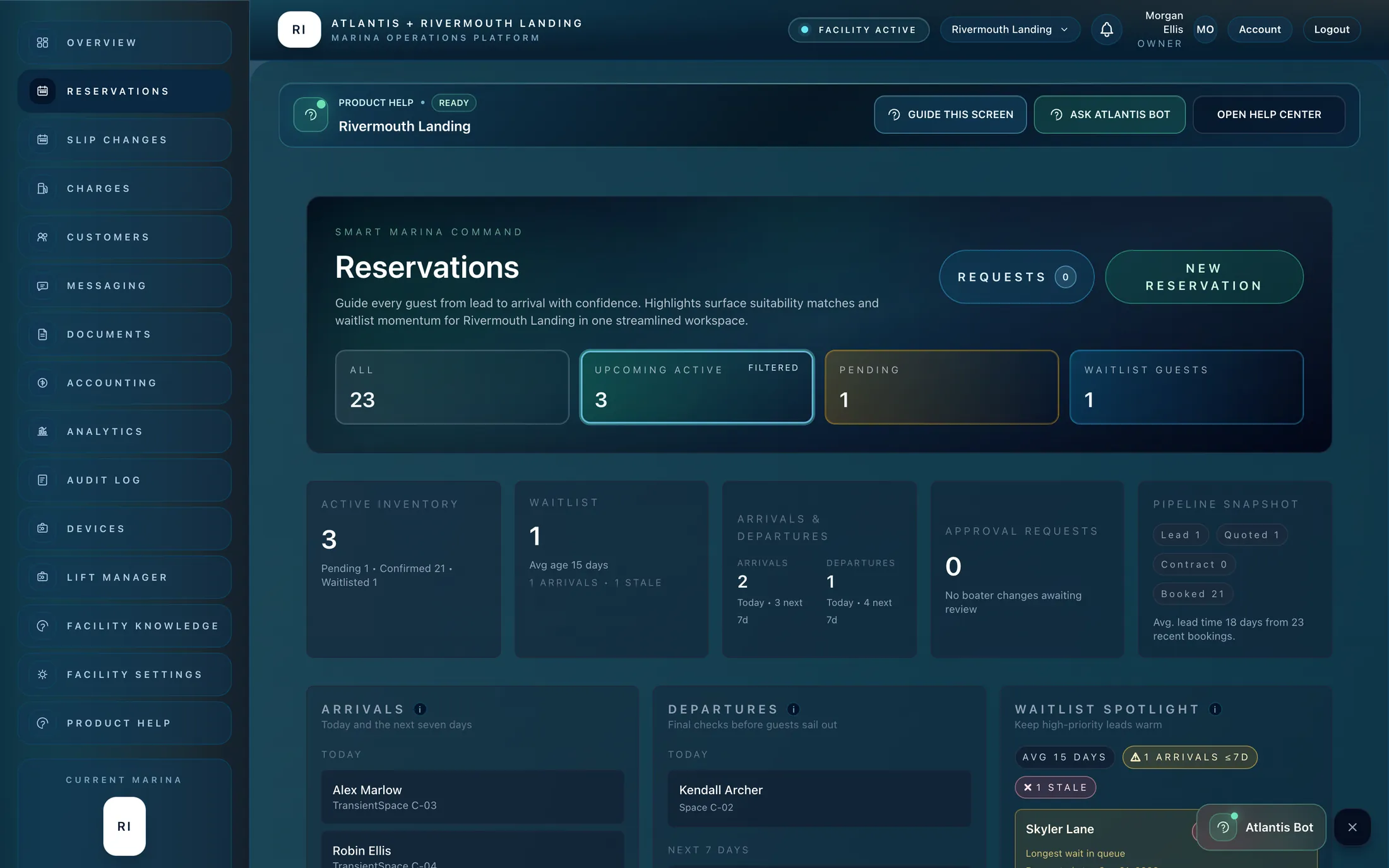
From eligible staff pages, teams can guide the current screen, ask Atlantis Bot, or open the Help Center without losing their place in Atlantis Marina.

Atlantis Marina reservations workspace with Product Help controls for Guide This Screen, Ask Atlantis Bot, and Open Help Center

Train staff inside the product

New and seasonal staff learn Atlantis Marina from the page they are using, with practical guidance tied to real marina work.

Reduce repeated support questions

Product Help, screen context, and Facility Knowledge answer common "how do I" questions before they become tickets or manager interruptions.

Route staff to revenue-critical work

Safe buttons open Reservations, Documents, Messaging, SMS Delivery, Accounting, Facility Knowledge, and other Atlantis workspaces.

Find visible reservations safely

Staff can search by ID, customer, vessel, space, date, phone, or email, then review the source record in the proper workspace.

Draft customer communication faster

Atlantis Bot can prepare missing-insurance texts and other staff messages for review without sending from chat.

Improve the platform as staff use it

Usage analytics show where staff get stuck, which help content is missing, and where Facility Knowledge should improve.

Operating loop

A question becomes a guided, reviewable next step.

Instead of searching docs or calling a manager, staff ask Atlantis Bot and get the right route, highlight, draft, or help answer inside the platform.

Live assistant pattern

Product Help plus Atlantis Bot on the same screen

Prompt

What can I do here?

Context

Reservation Log - visible targets found

Route button

Open Reservations

Highlight button

Show Guided Reservation panel

Policy

No hidden mutations

Ask

Staff ask in real operating language

Examples include "Take me to SMS Delivery" or "Show me the reservation in B15."

Orient

Atlantis Bot uses platform context

It uses the current route, screen targets, role summary, Product Help, and Facility Knowledge where available.

Open or highlight

The page shows a safe next step

Staff can open the correct workspace or highlight a visible page area instead of copying a path from chat.

Review

Staff review before acting

Reservation details, drafts, and decisions stay in staff-reviewed Atlantis workflows.

Inside the product

Platform adoption built into every screen.

Owners are not buying a separate AI tab. Atlantis Bot is part of the Atlantis Marina dashboard, with Product Help at the top of eligible pages and a floating assistant available across staff workspaces.

  • Explain the current page in plain operating language.
  • Open the related Product Help guide without forcing staff into a support queue.
  • Use screen targets and highlight buttons so new staff know where to focus.

Operational context

One assistant for the daily operating model.

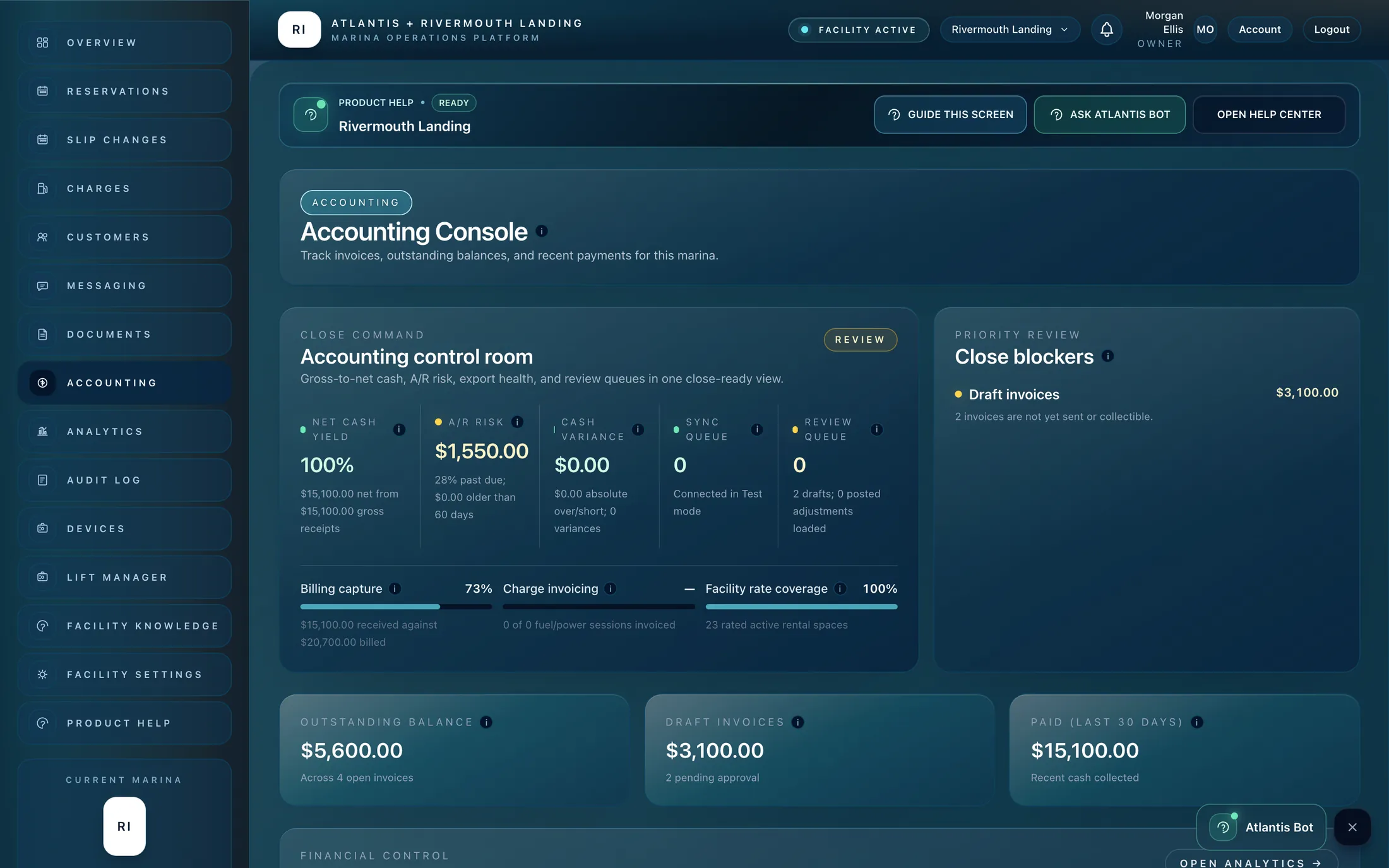
Atlantis Bot understands the Atlantis Marina platform across reservations, customers, documents, messaging, SMS delivery, rates, accounting, ship store, dry stack, facility map, onboarding, and daily operations.

  • Answer platform workflow questions from Product Help.
  • Pull in Facility Knowledge for marina-specific SOPs and escalation paths.
  • Carry recent chat context across refreshes and pages for the same facility.

Control

Buy speed without giving up operational control.

Atlantis Bot can guide, draft, highlight, and navigate. It does not silently edit reservations, send messages, approve changes, or make hidden operational decisions.

  • Navigation is visible and staff-initiated.
  • Drafted messages remain staff-reviewed before sending.
  • Future saved actions require explicit confirmation, permissions, validation, and audit logs.

Atlantis Marina workspaces

A platform assistant, not a disconnected chat window.

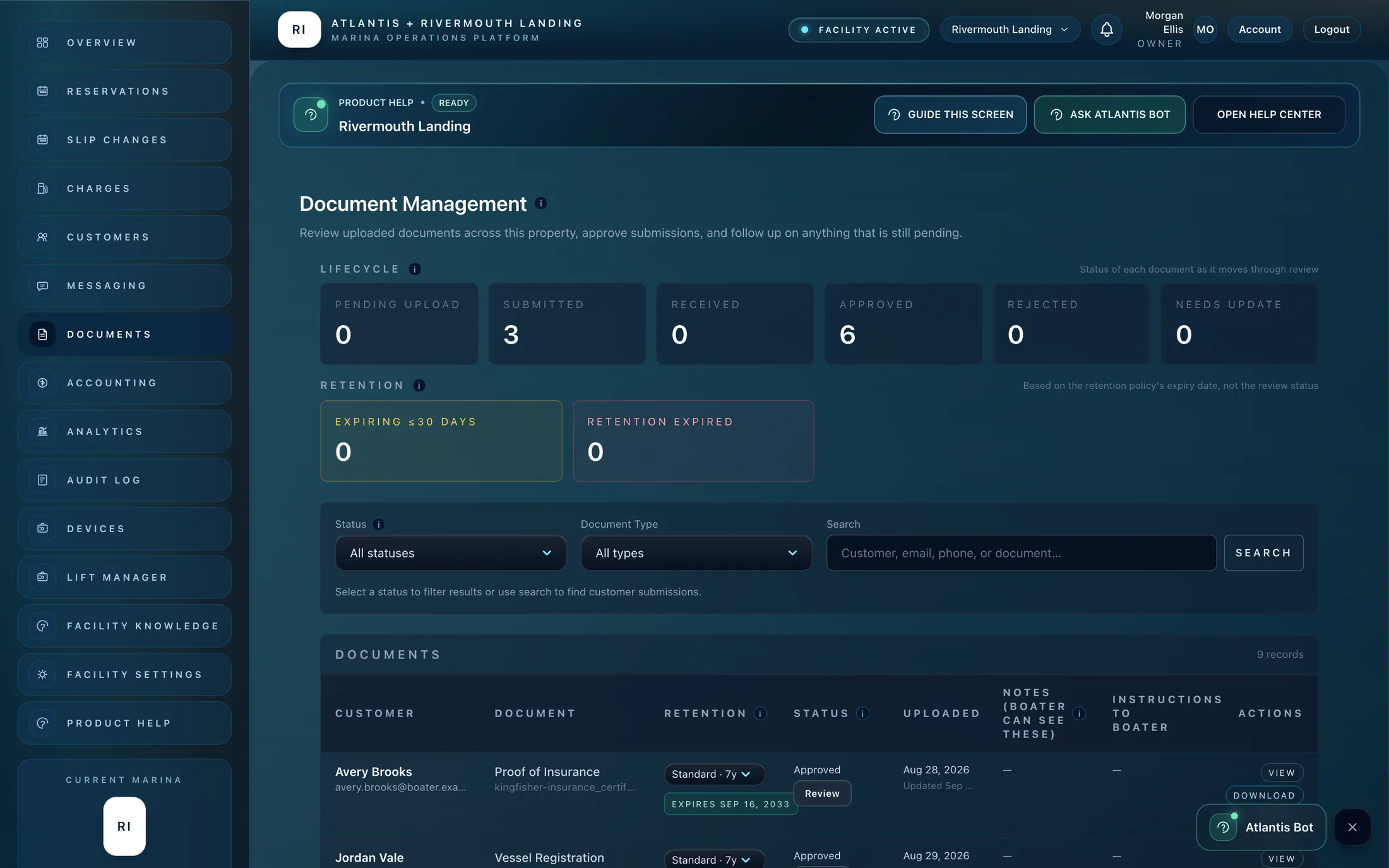
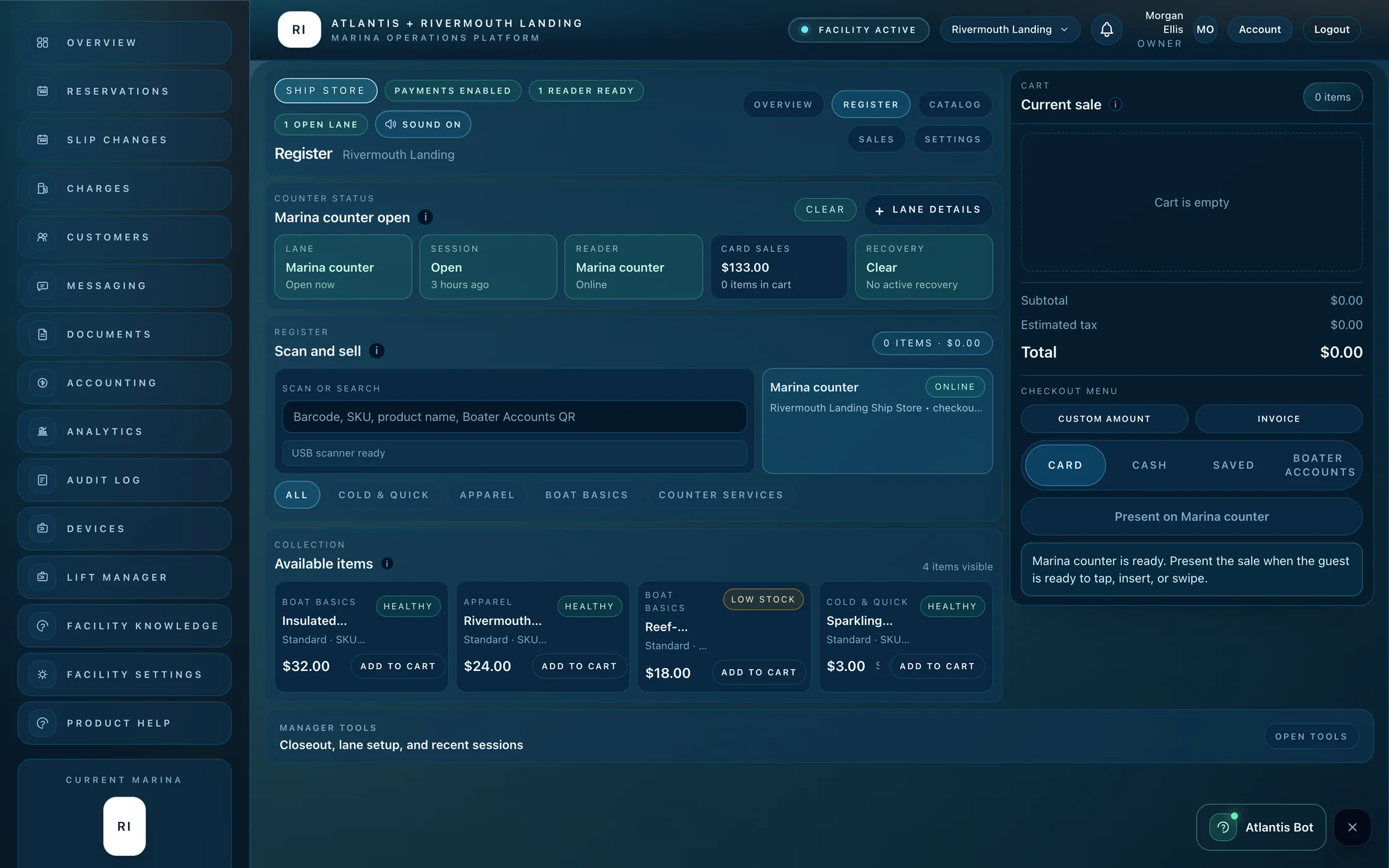
Atlantis Bot supports the operating surfaces where staff manage reservations, documents, messaging, Facility Knowledge, accounting, and daily work. The help happens where the work happens.

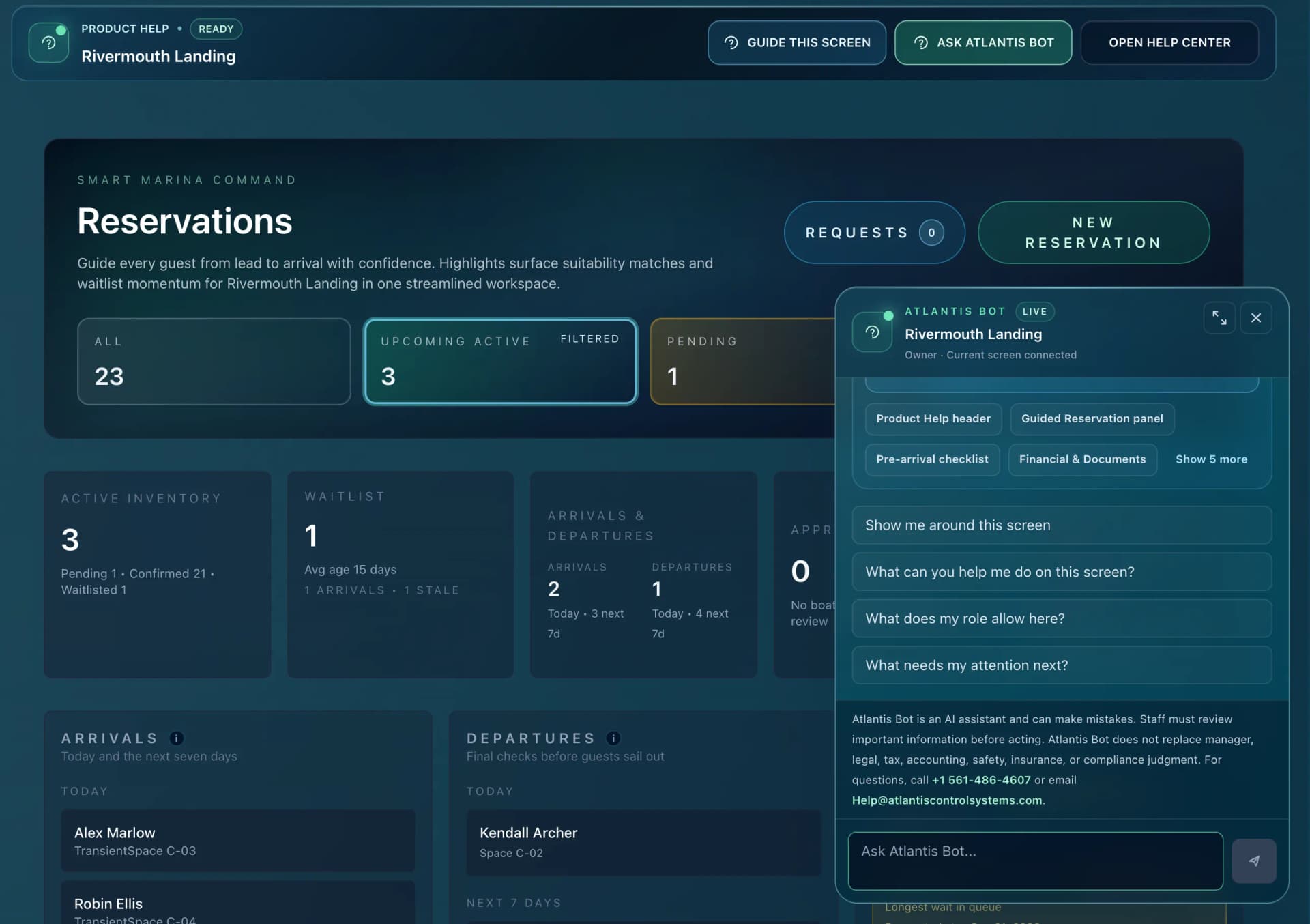
Atlantis Marina reservations workspace with the Atlantis Bot assistant open

Reservations with Atlantis Bot

Atlantis Bot stays available while staff review live inventory, requests, arrivals, departures, and reservation workflow context.

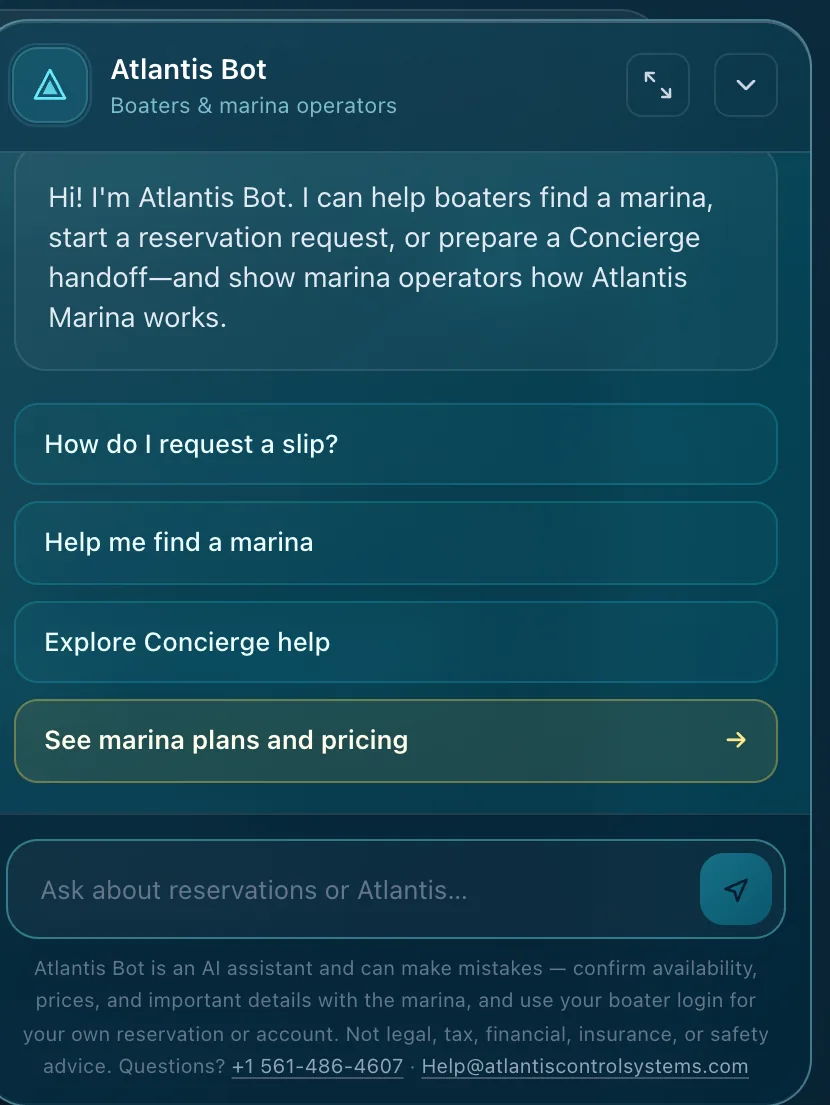
Atlantis Bot response showing guided Product Help controls inside the live dashboard

Guided screen help

Staff can ask for help on the page they are using, then jump to the right control or highlighted area without losing their place.

Atlantis Marina Facility Knowledge workspace

Facility Knowledge

Facility-specific SOPs and policies give Atlantis Bot local operating context alongside Product Help.

Atlantis Marina messaging workspace

Messaging

Atlantis Bot can draft staff messages for review while staff keep control of customer communication workflows.

FAQ

Questions marina teams ask before using Atlantis Bot.

Atlantis Bot can make mistakes. For questions, call +1 561-410-6821 or email Help@atlantiscontrolsystems.com. Staff should review important information before acting.

Is Atlantis Bot generic AI?+

No. Atlantis Bot is designed for Atlantis Marina workflows, Product Help, Facility Knowledge, dashboard screens, role context, reservations, documents, messaging, rates, accounting, ship store, dry stack, facility map, onboarding, and daily marina operations.

Can Atlantis Bot make changes for staff?+

Not silently. Atlantis Bot can guide, draft, route, and highlight. Future saved-action workflows require explicit confirmation, permissions, validation, and audit logs.

Does Atlantis Bot remember conversations?+

Yes. Atlantis Bot can remember recent chat across refreshes and pages for the same facility, so staff do not have to restart the context every time they move through the dashboard.

Atlantis Bot

Give every staff member a confident path through Atlantis Marina.

Built for marina owners, dockmasters, facility managers, reservation staff, and accounting teams that need the platform to feel easier from the first question.