
Atlantis Marina / Fuel & Utilities
Keep the fuel
dock moving.
Serve the next boat. Send the ticket to Ship Store or bill the boater’s account. Keep the sale connected all the way to payment.
See how Fuel Quick Tickets workAttended fueling. Your saved prices. Devices your team already uses.
Built for the busy waterfront
The next boat shouldn’t wait for the last guest to pay.
Paper tickets, repeated price entry and a trip to the register can turn one fuel sale into work for three people. Give the attendant, cashier and office the same sale to follow.
At the dock
Record the completed quantity and move to the next sale.
At the register
Pick up the fuel ticket with its original price and tax.
In the office
Follow the charge through account billing or the POS receipt.
Fuel Quick Tickets
One ticket.
A clear path to payment.
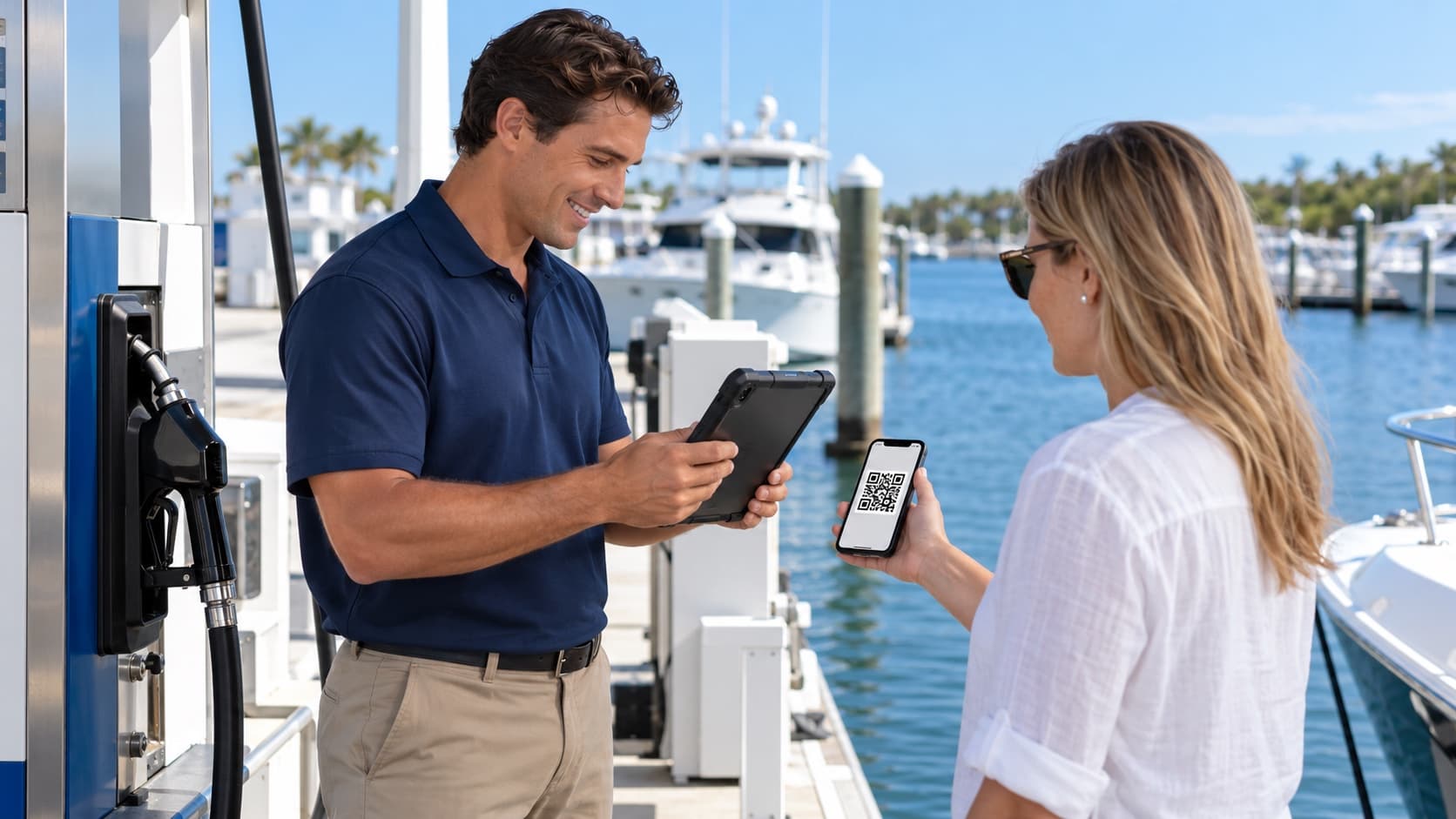
Regular boater or visiting guest, the sale starts with the completed dispense. Choose a path to see what happens next.
Fuel at the dock. Pay at the store.
Record the completed sale.
Choose the saved fuel and pump, enter the dispensed quantity, and add the guest’s name and phone or email. No boater account required.
Send the ticket to Ship Store.
Review the total and send it to the shared queue. The guest can head to the store while the attendant starts the next boat’s sale.
Collect payment at the register.
An authorized cashier picks up the same ticket and takes cash or card. The original quantity, price and tax follow the sale.
Fuel Quick Ticket
Pay at Ship Store
- Fuel / pump
- Gasoline / Pump 1
- Completed quantity
- 40.00 US gal
- Saved facility price
- $4.75 / gal
- Fuel subtotal
- $190.00
Illustrative USD sale before tax. Your facility’s tax policy determines the final total.
Waiting for Ship Store payment
The dock moves on. The cashier has the ticket.
Ship Store handoff requires an enabled Ship Store and USD billing. A queued ticket is awaiting payment; it is not a paid receipt.
See the workflow with your team’s questions in mind.
Book a demoLess re-entry. More control.
Your prices.
Your pumps.
Your team in control.
Management sets the fuel options and prices. Attendants select them. Completed tickets keep the price accepted for that sale.
Set the price once.
Save fuel and pump defaults in Facility Settings. Price updates apply to new tickets without changing completed sales.
Review before billing.
Confirm quantity, price, applicable tax and total. Authorized managers can document a pump-amount override when needed.
Know what still needs payment.
Keep sent tickets, account invoices and payment outcomes distinct. A ticket waiting at Ship Store remains visible for collection.
Keep the handoff accountable.
A register claims the ticket for checkout. Other registers can see it is in progress, and the sale keeps its original fuel details.
Power · Water · Pump-out
Get dockside services
into the bill.
A meter reading or pump-out job needs to reach the right account. Record the service, usage and amount, then keep the charge with the customer’s invoice and history.
Explore connected marina billingWhat was provided.
Power, water, pump-out or another utility. Add the meter or slip reference and usage where applicable.
Who should be billed.
Select the customer and record the amount and description so the charge stays attached to their account.
Where the charge stands.
Review the charge history and linked invoice with the rest of the marina’s billing activity.
This workflow uses staff-recorded utility charges. Automatic meter readings require compatible equipment and a separately reviewed integration.
Start with the operation you run
Attended fueling first.
Automation planned around your equipment.
Quick Tickets handle the sale after an attendant dispenses fuel and enters the quantity. Pump control, automatic fuel capture and unattended fueling are separate engineering and compatibility projects. Bring your pump setup to the demo so we can discuss the right path for your facility.
Before you get started
Your dock.
Your questions.
Does every fuel customer need an Atlantis account?
No. Staff can create a guest ticket with a name and phone or email, then send it to Ship Store for payment. An enabled Ship Store and USD billing are required for that path. Existing boaters can use their eligible marina account instead.
Can the attendant start the next sale before a guest pays?
Yes. After sending a guest ticket to Ship Store, the attendant can start a new sale while the earlier ticket stays in the facility’s register queue. Payment is collected separately at the store.
Do we need new pump hardware to use Quick Tickets?
Quick Tickets record a completed, attended fuel sale; staff enter the dispensed quantity. They do not control the pump. Staff can use a suitable connected tablet or smart device, or an Atlantis Operations Tool Kit Device. Your facility must have a safe, supported attended pump operation procedure.
Does this include unattended fueling or automatic meter capture?
Quick Tickets use attended fueling and staff-entered quantities. Pump automation, automatic fuel capture and connected utility metering require equipment review and a separately scoped integration. They are not included in the Quick Ticket workflow.
How do power, water and pump-out charges reach the customer?
Staff record the utility type, meter or slip reference, usage where applicable, amount and customer. The charge is connected to a customer invoice and charge history. Automatic readings depend on a separately reviewed, compatible meter integration.
Can we set up ourselves or see a demo first?
Both. Start self-service onboarding to open a private marina workspace, or book a demo to review the fuel dock, Ship Store and account billing workflow with Atlantis. Onboarding is free. A card is required for the 14-day trial, which starts when the workspace is ready. Payment processing and Atlantis transaction fees apply.
Put a clearer workflow behind every sale
Let’s take the paperwork
out of the fuel dock.
Ready to set up? Open your private marina workspace. Want to see the handoff first? Book a demo of Quick Tickets, Ship Store and account billing.
Free onboarding. Card required for the 14-day trial, which begins when your workspace is ready. Cancel before the trial ends to avoid the plan charge. Payment processing and Atlantis transaction fees apply. View plans and fees.