Template
Prepare marina-specific agreement language
Create slip lease, lift lease, storage license, and add-on agreements once, then let Atlantis fill in the customer, vessel, space, dates, amount, and reservation details.

Atlantis E-Sign
Send branded slip, lift, storage, and reservation agreements from Atlantis, collect typed or drawn signatures, and keep the signed copy with the booking.
Card required. Trial starts when your private workspace is ready. View plans and fees.
Atlantis E-Sign
Slip Agreement Package
Lead
Complete
Quoted
Complete
Contract
Signer open
Booked
Pending
Reservation RES-1048
Avery Morgan
Slip B-14 - 42 ft - 50A
$1,240 reservation package
Marina Slip Rental Agreement
Agreement prepared for Avery Morgan and the assigned marina stay, services, payment terms, and facility rules.
Arrival
April 14
Due today
$1,240
Customer signature
The records behind the agreement
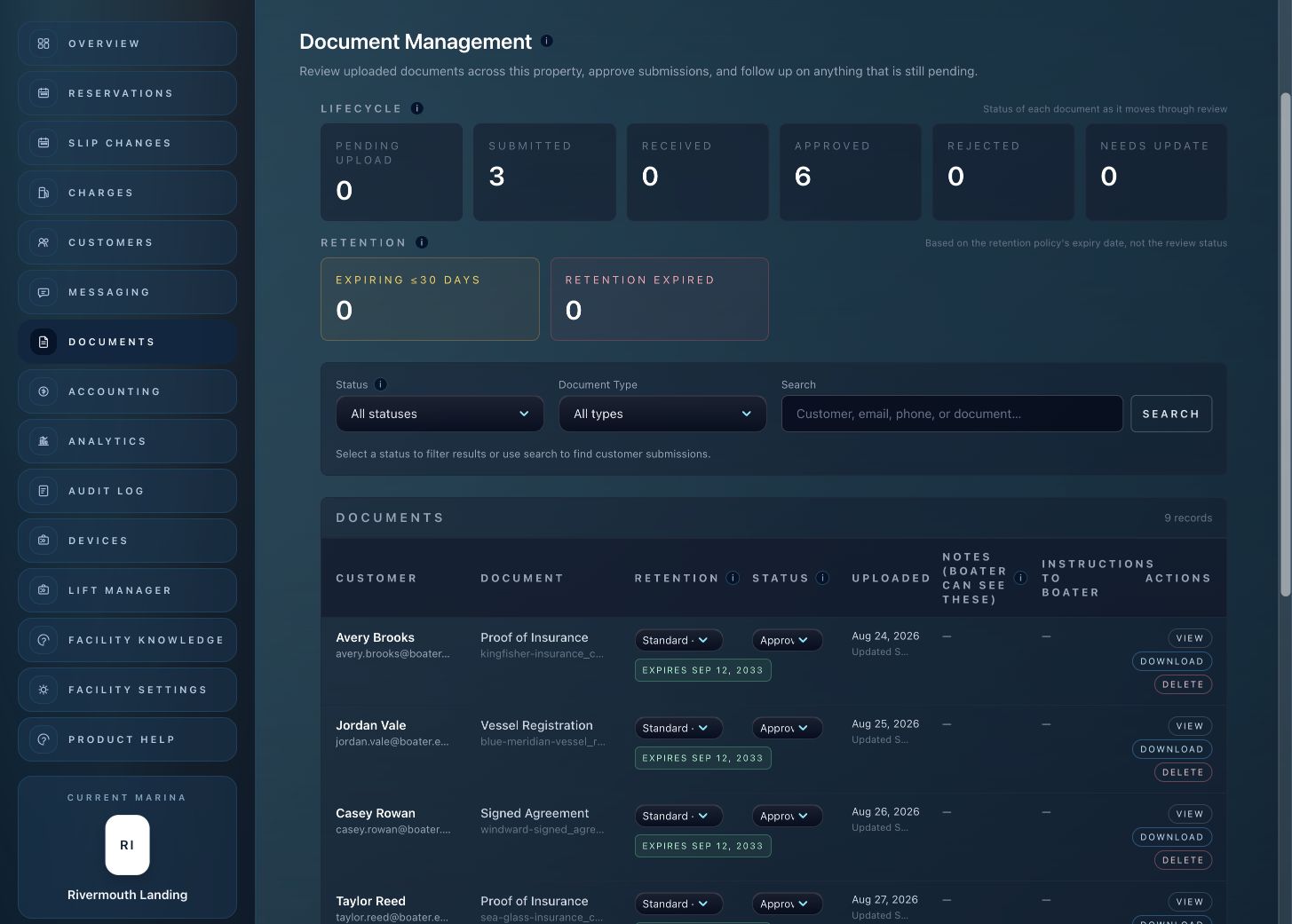
Find agreement records and customer files in the document workspace. Staff can keep the paperwork connected to the people, vessels and reservations it belongs to.
Start with a private marina workspace. Card required. View plans, transaction fees and optional modules.
Start your 14-day trialMarina Contract Closeout
Atlantis E-Sign gives staff a marina-branded contract workflow without asking boaters to jump between disconnected signing, billing, and document systems.
Closing Workflow
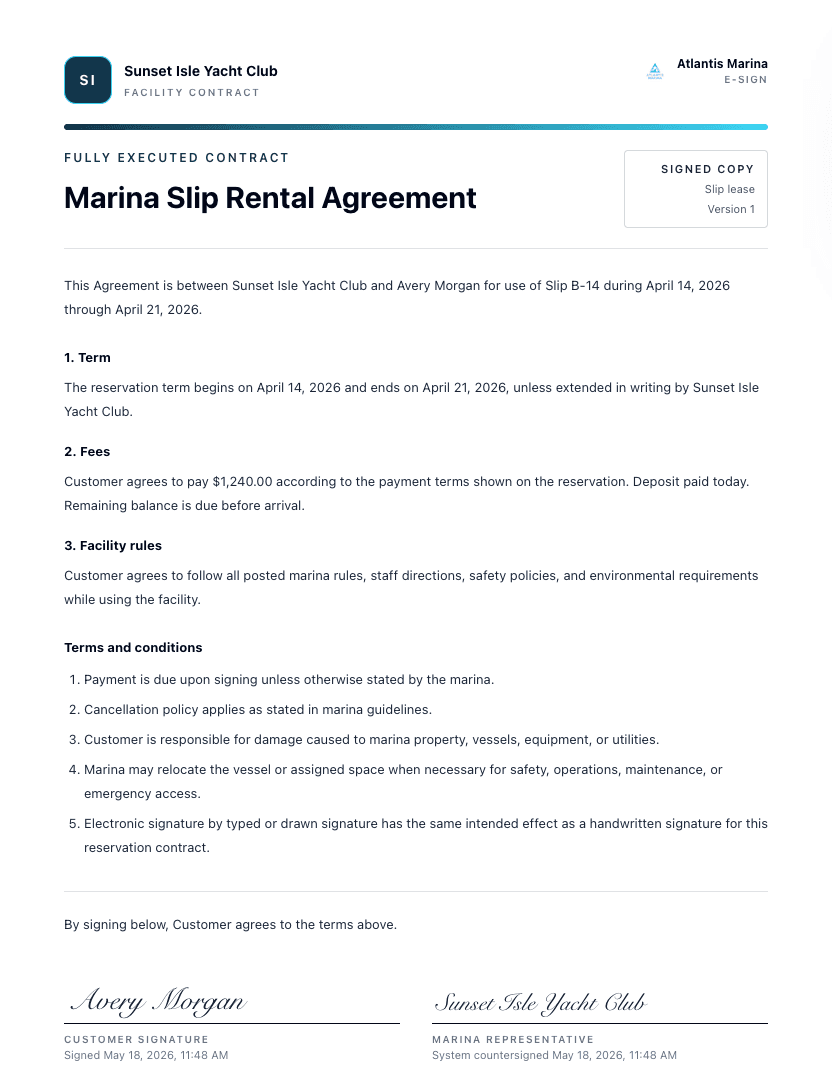
Staff prepare the agreement, send it from the booking, collect the signature, and keep every next step connected.
Template
Create slip lease, lift lease, storage license, and add-on agreements once, then let Atlantis fill in the customer, vessel, space, dates, amount, and reservation details.
Reservation
When the quote and space are ready, staff send a branded E-Sign link from the reservation instead of moving the boater into a separate document tool.
Signature
The boater reviews the full agreement, accepts electronic record consent, signs by typing or drawing, and keeps a signed copy from the same link.
Closeout
Atlantis stores the signed PDF and audit certificate with the customer record, then keeps the reservation, invoice handoff, and space status moving together.
Inside Atlantis E-Sign
Staff can update contract language, preview the PDF, send the signing link, and keep the completed agreement on the customer record.
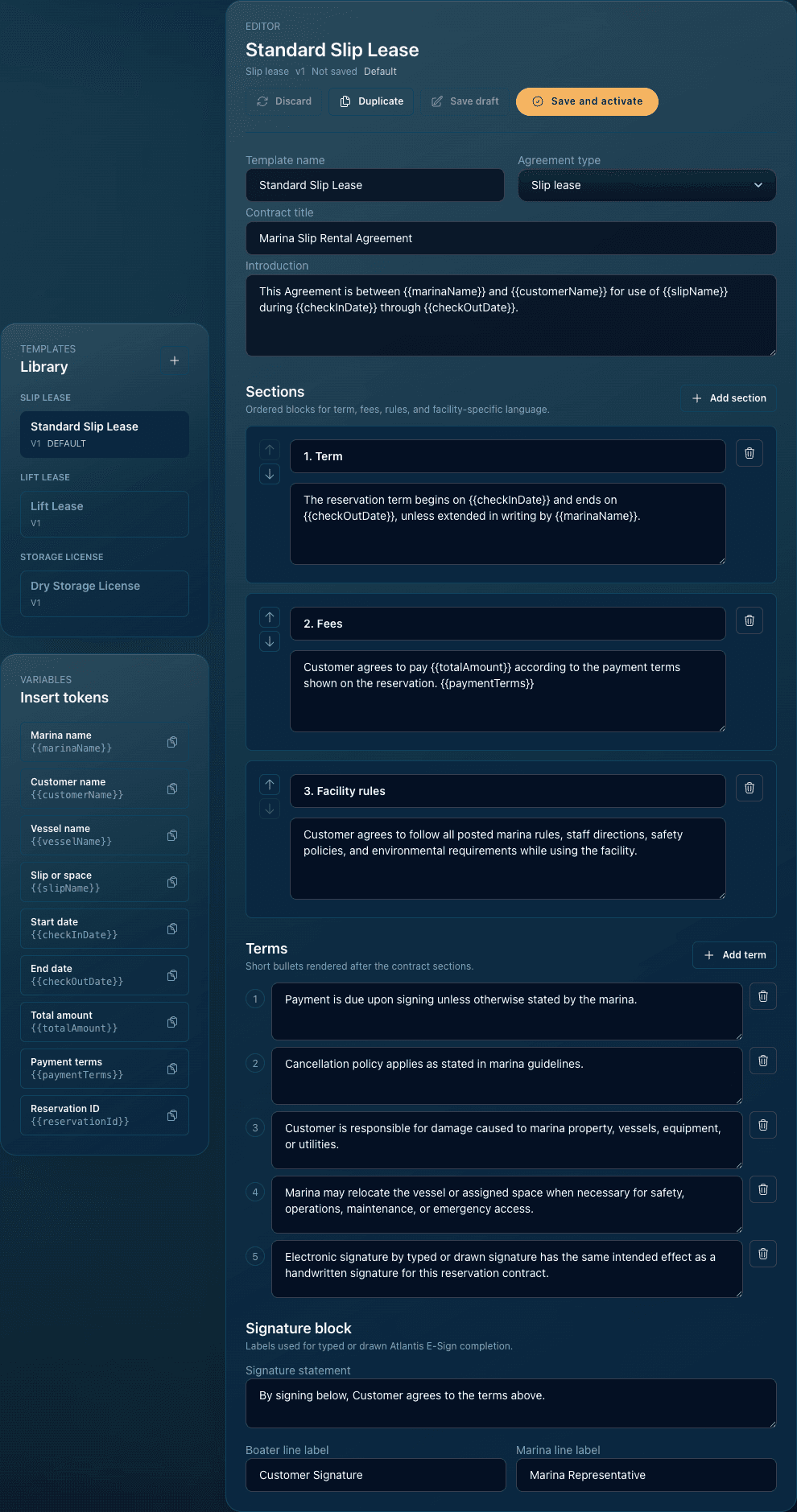
Select the agreement type, refine marina language, insert reservation details, and preview the document before sending.
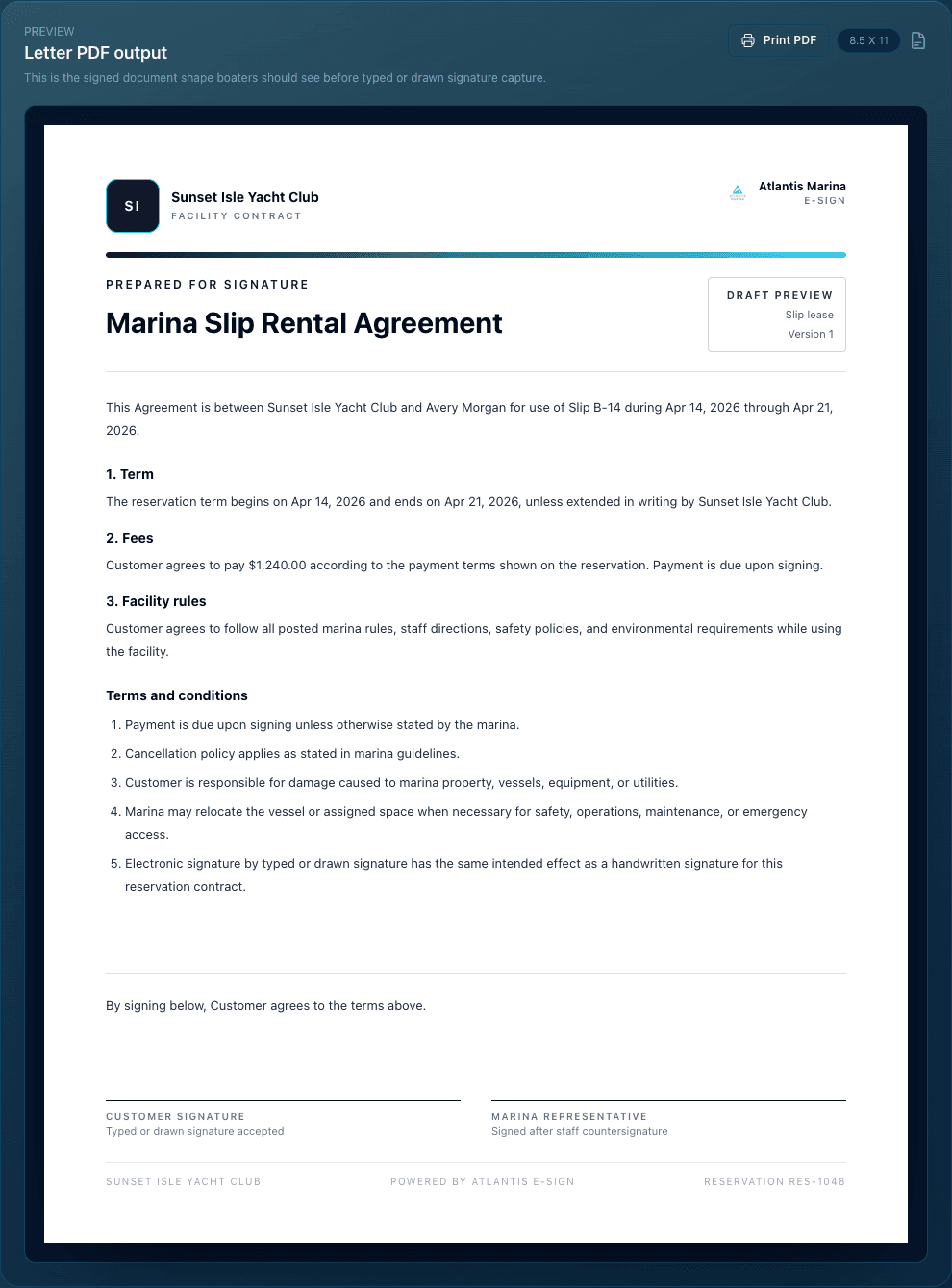
Review the exact agreement the boater will sign, including branding, terms, fees, dates, and signature lines.
Store the customer signature, marina counter-signature, and completion details with the reservation record.
Boater Signing
Each signing link opens the branded agreement, electronic consent, typed or drawn signature, and signed-copy step in one focused flow.
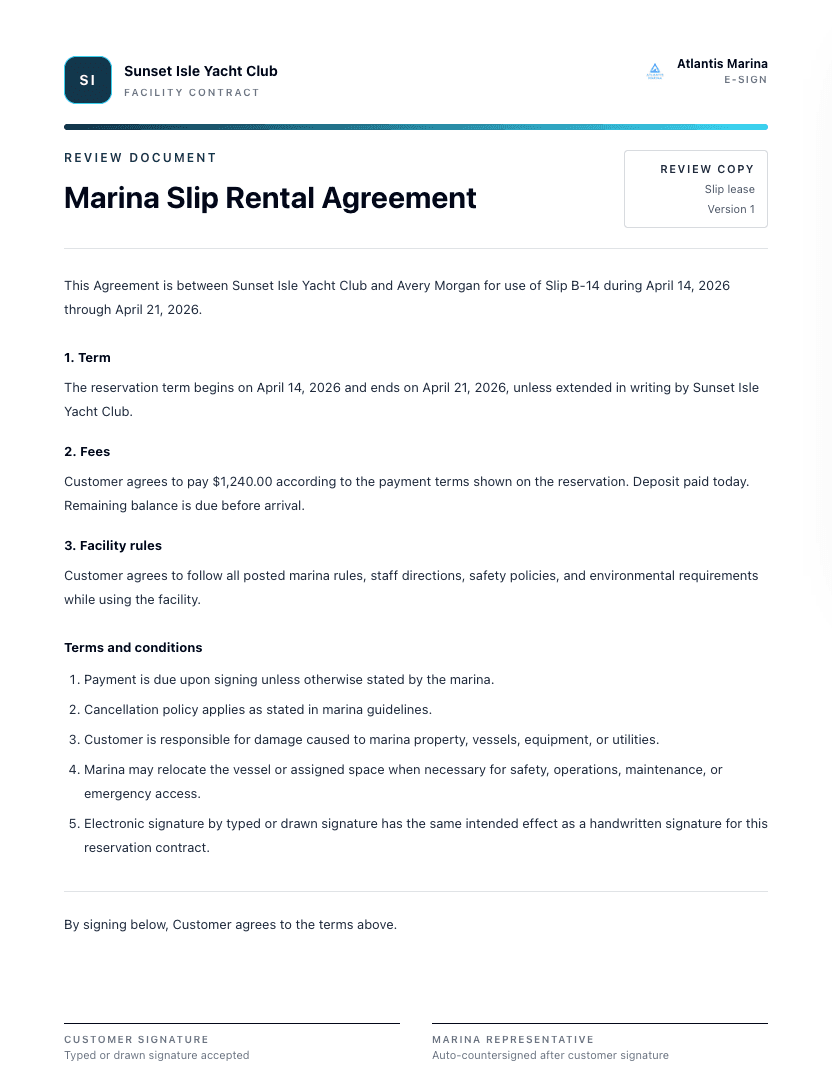
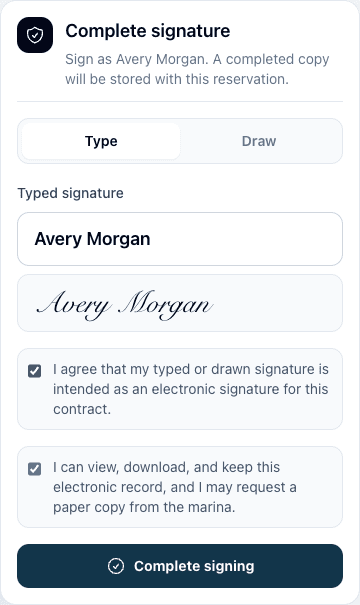
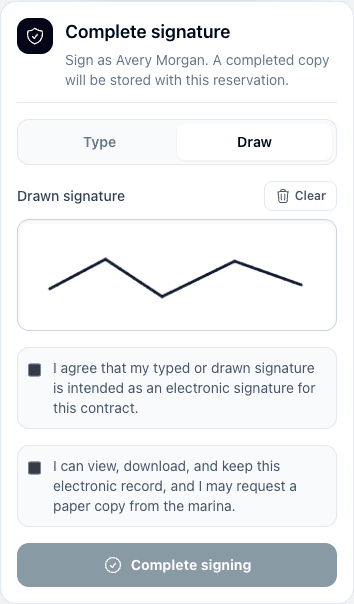
Contract Control
Atlantis E-Sign keeps contract status visible for operations, billing, documents, and access preparation.
Keep approved slip, lift, dry storage, and ancillary agreement language ready for staff to reuse without rebuilding each contract by hand.
Send boaters a focused Atlantis E-Sign experience that carries the marina brand, agreement details, consent language, and signature step.
Give the marina a completed agreement package with signature method, consent record, timestamps, and a clean signed document for retention.
Use the signed agreement as the handoff point for confirmation, invoice follow-up, customer documents, and access readiness.
Connected Modules
Send contracts from the stay record that already contains customer, vessel, space, quote, dates, and pipeline stage.
Explore Guided ReservationsUse signed contracts to trigger invoice handoff, payment follow-up, accounting sync, and access-ready account status.
Explore Marina BillingKeep signed agreements with the same Atlantis customer record that supports marina renters, residential lift owners, vessels, documents, invoices, messages, and access.
Explore Boater Account PlatformUse agreement and payment status as part of the control plane for marina lift permissions and facility access readiness.
Explore Smart Lift AccessE-Sign FAQ
No. Atlantis E-Sign starts from the reservation record, so the customer, vessel, assigned space, dates, quote, agreement template, signing status, invoice handoff, and booked status stay connected.
Atlantis E-Sign supports slip lease, lift lease, storage license, and ancillary agreement templates, with marina-specific language and reservation details filled in automatically.
Atlantis generates the signed PDF and audit certificate, stores the customer document record, records the facility audit event, confirms the reservation, prepares invoice handoff, and marks the assigned space reserved.
No separate signing account is required for the signing link. The completed agreement is still tied back to the Atlantis customer and boater account record for documents, invoices, reservations, messages, and access workflows.
Next step
Bring your agreement templates, billing handoff, document retention, and access rules into one marina-ready workflow.
The Atlantis advantage
The next opportunity is already on your dock. Connect reservations and billing with approved services, boater relationships and the tools to run your waterfront.
Turn approved local services into a marina amenity. Keep boater requests, quotes, job updates and payments connected.
Bring inquiries from your website into staff review, with vessel details and a clear path to a reservation.
See the bigger picture across your marina group: occupancy, cash, receivables and reporting coverage.
Free onboarding on every plan. Set up privately yourself or let Atlantis help, then go live when ready. Public marina plans from $150/month. Card required; no plan charge at signup.
Private club? Plans from $300/month*. Request your club quote
*Private club pricing is subject to a custom quote.
Trial begins when your workspace is ready. Cancel before it ends to avoid the plan charge. Module pricing, facility enablement, transaction fees and hardware requirements vary. All pricing is subject to change. See plans and fees.