
Adoption
Make Atlantis Marina easier to roll out.
Staff learn the platform from the screen they are using, so training does not depend on memorized docs, repeated manager walkthroughs, or support back-and-forth.
Safety and security
Atlantis Bot helps staff move faster while keeping reservation details, customer communication, documents, billing, and future saved actions visible, permissioned, validated, and staff-reviewed.
Product Help
Atlantis Marina dashboard
Example prompts
Atlantis Bot
Staff platform guidance
What Atlantis Bot can and cannot do
Guide: Allowed - explain workflow
Navigate: Allowed - visible route button
Draft: Allowed - staff reviews before send
Safe by design
Guides and drafts. Staff review actions.
Platform value
The business case is faster staff adoption, fewer repeated support questions, safer daily workflows, and a clearer path through the Atlantis Marina operating system.
Adoption
Staff learn the platform from the screen they are using, so training does not depend on memorized docs, repeated manager walkthroughs, or support back-and-forth.
Operations
Atlantis Bot turns daily prompts into safe route buttons, highlight buttons, and reviewable next steps across reservations, documents, messaging, accounting, and Facility Knowledge.
Control
The assistant guides, drafts, and opens workspaces. Staff still review customer details, messages, documents, billing, and any future saved action.
Improvement
Atlantis Central analytics reveal common questions, weak help coverage, and training opportunities so owners and managers can improve guidance as staff use the platform.
Always in the workflow
From eligible staff pages, teams can guide the current screen, ask Atlantis Bot, or open the Help Center without losing their place in Atlantis Marina.
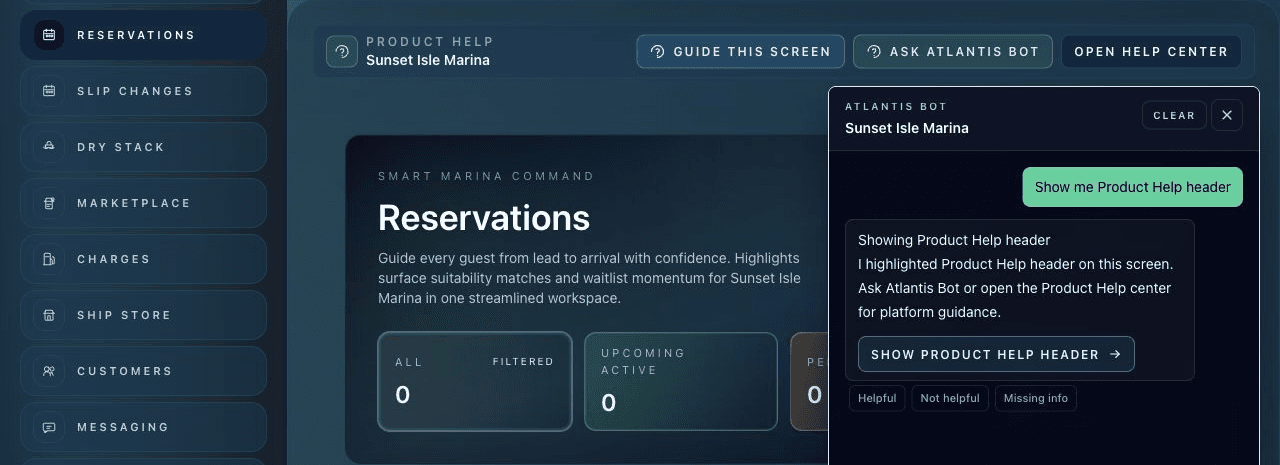
Atlantis Bot does not silently edit reservations, send messages, approve refunds, cancel stays, or mutate records.
Message copy is drafted for staff review. Staff still edit, approve, and send through Atlantis workflows.
The assistant can help route and highlight visible matches without exposing full reservation details in chat.
Role context shapes what Atlantis Bot tells staff they can do on a page.
Future saved actions require explicit confirmation, role checks, validation, and facility audit logs.
Atlantis Bot includes rate limiting, staff feedback capture, and analytics publishing for operational oversight.
Control model
Atlantis Bot is useful because it shortens the path to the right screen, not because it hides operational decisions from staff.
Safety policy
Guide
Allowed - explain workflow
Navigate
Allowed - visible route button
Draft
Allowed - staff reviews before send
Mutate
Future-only - confirmation required
Expose details
Avoided - open the source record
The prompt can be about navigation, role limits, a workflow, a draft, or a visible record.
Safe navigation and drafts are allowed; saved changes are restricted unless a dedicated future flow enforces safeguards.
Reservation and customer details are reviewed in Atlantis screens, not exposed as full chat output.
When permissioned action workflows are introduced, they require explicit confirmation, validation, and audit logging.
Action policy
Navigation, highlights, and drafts are treated differently from mutations. That distinction keeps assistance useful without turning chat into an invisible operations console.
Reservation privacy
Atlantis Bot can help locate visible reservation matches by ID, customer, vessel, space, date, phone, or email. Staff then open the proper reservation workspace and confirm the customer, vessel, dates, and status before acting.
Communication safety
When a staff member asks for boater-facing copy, Atlantis Bot produces a reviewable draft and points staff to the source record, Messaging, Reservations, or Documents as appropriate.
Atlantis Marina workspaces
Atlantis Bot supports the operating surfaces where staff manage reservations, documents, messaging, Facility Knowledge, accounting, and daily work. The help happens where the work happens.
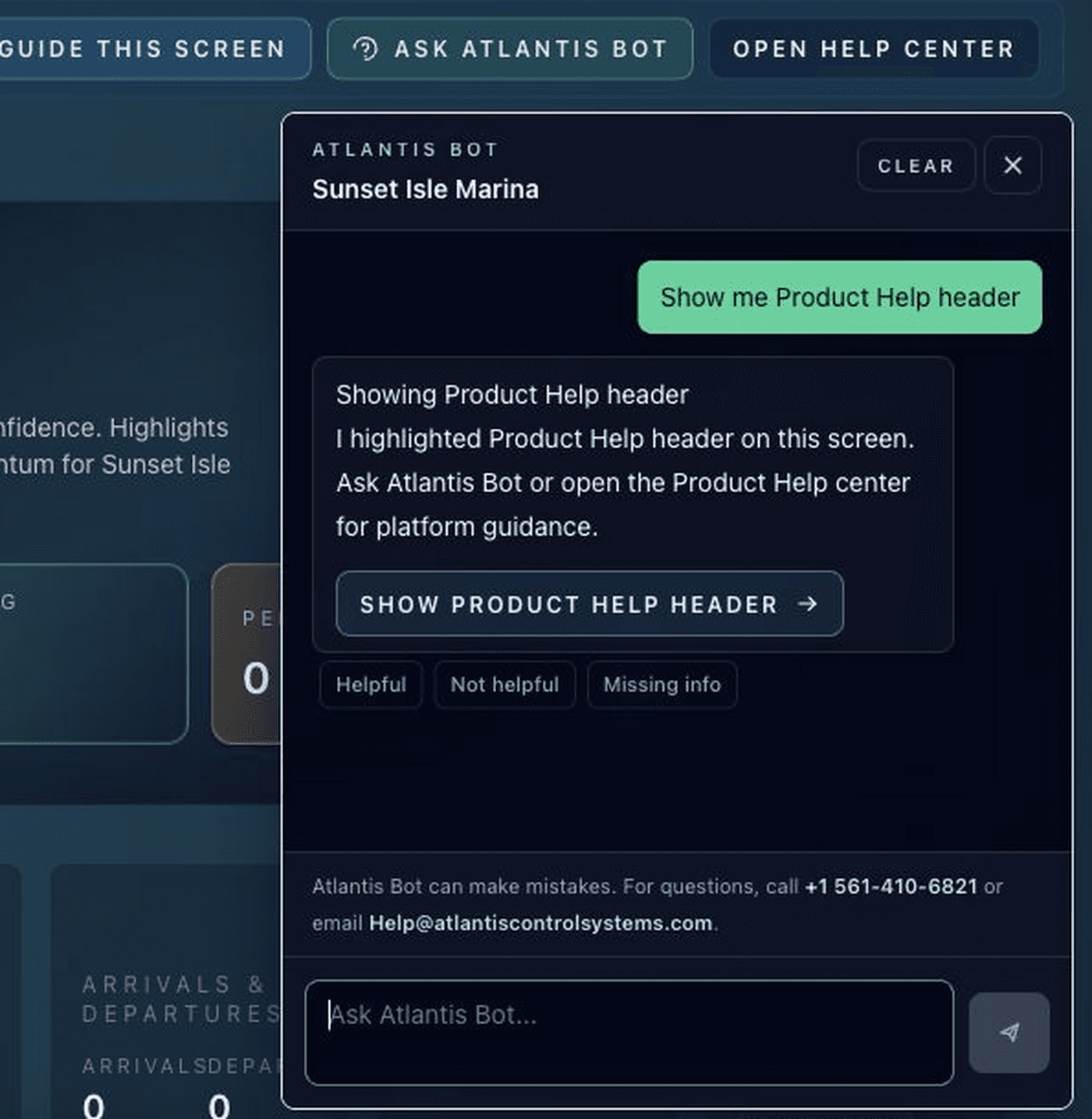
Atlantis Bot can answer from visible screen context, highlight the right area, and keep staff in control before any record changes.
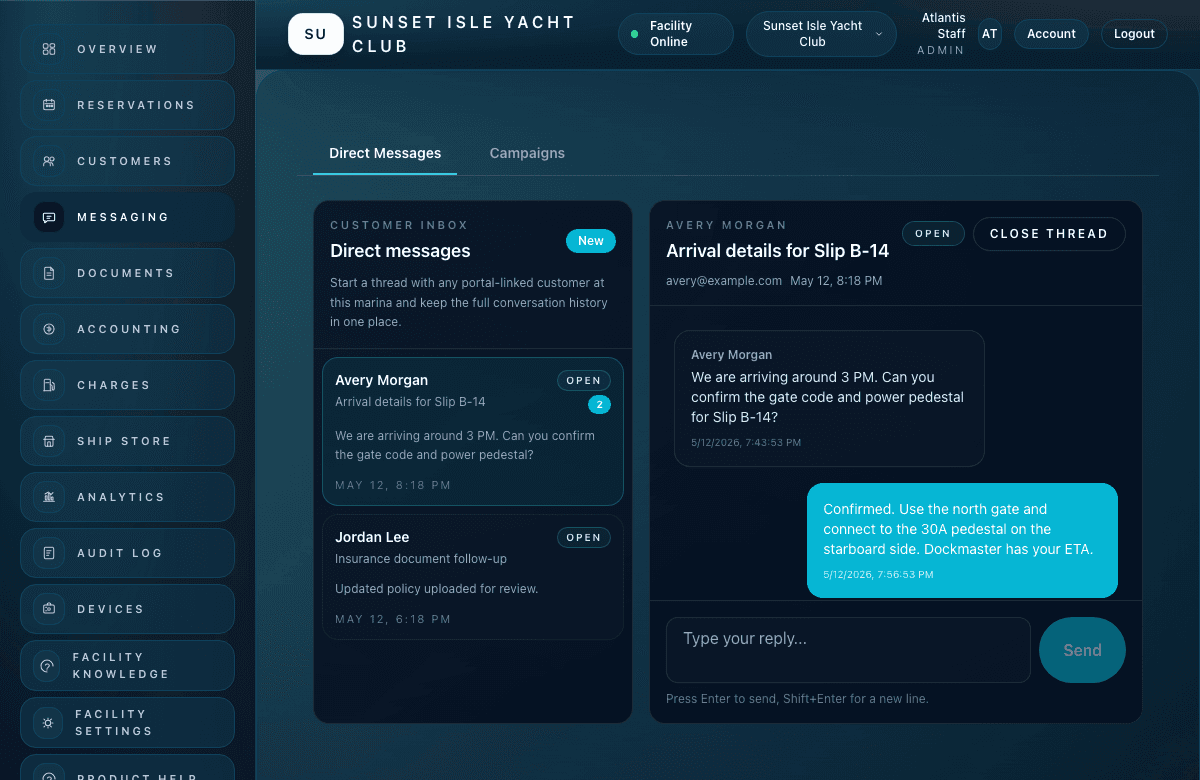
Drafted customer communication is reviewed by staff in the appropriate communication workflow.
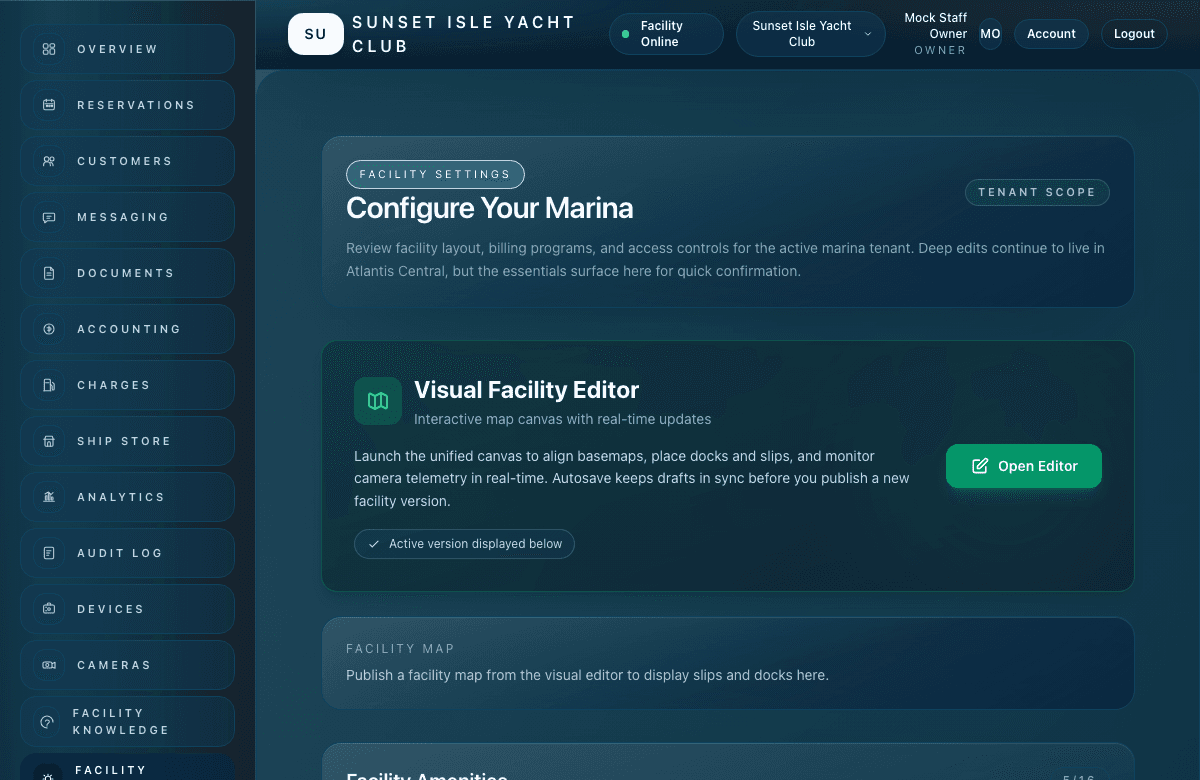
Atlantis workflows are built around visible activity, permissions, and audit-ready operational records.
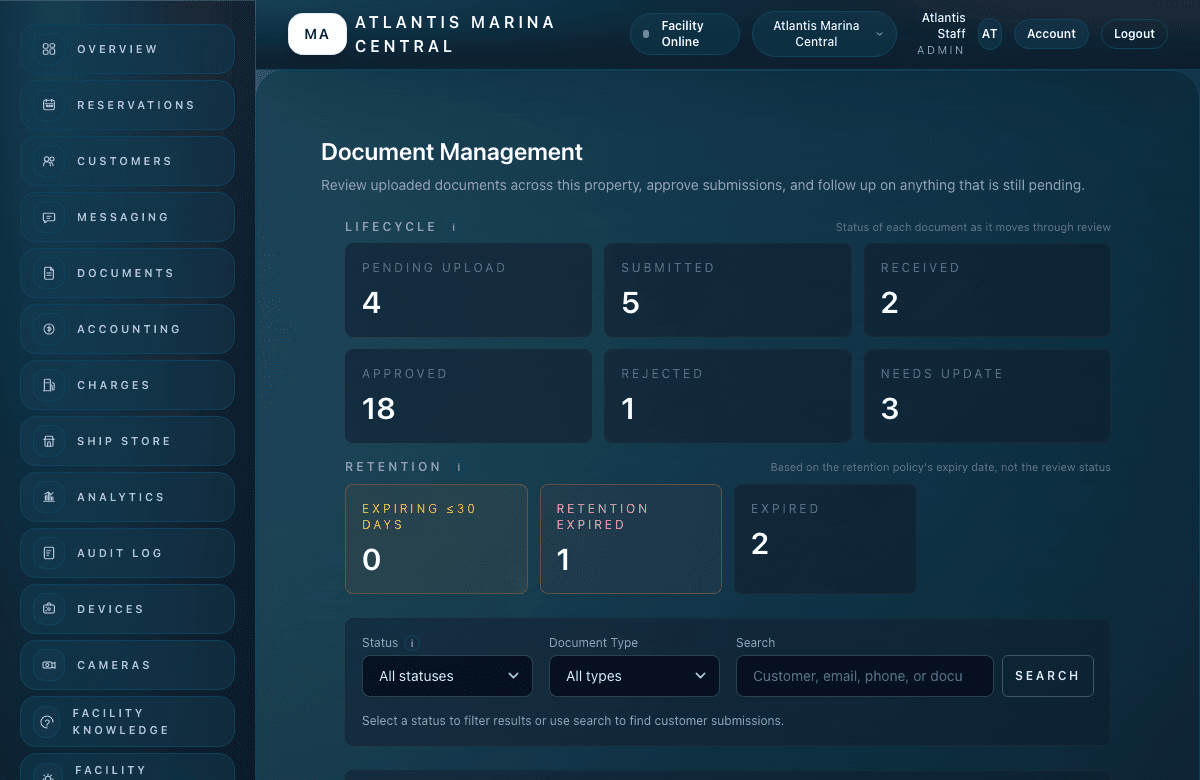
Insurance and registration decisions remain visible to authorized staff in the document review flow.
FAQ
Atlantis Bot can make mistakes. For questions, call +1 561-410-6821 or email Help@atlantiscontrolsystems.com. Staff should review important information before acting.
No. Atlantis Bot can draft message copy for staff review. Sending remains a staff-controlled workflow in the appropriate Atlantis workspace.
No hidden reservation changes are made. Future mutation workflows require explicit confirmation, permissions, validation, and audit logs.
Yes. Atlantis Bot can make mistakes. For questions, call +1 561-410-6821 or email Help@atlantiscontrolsystems.com. Staff should review important information before acting.
Atlantis Bot
Built for marina owners, dockmasters, facility managers, reservation staff, and accounting teams that need the platform to feel easier from the first question.